Insight
Laser marking in industry – what should you be aware of?
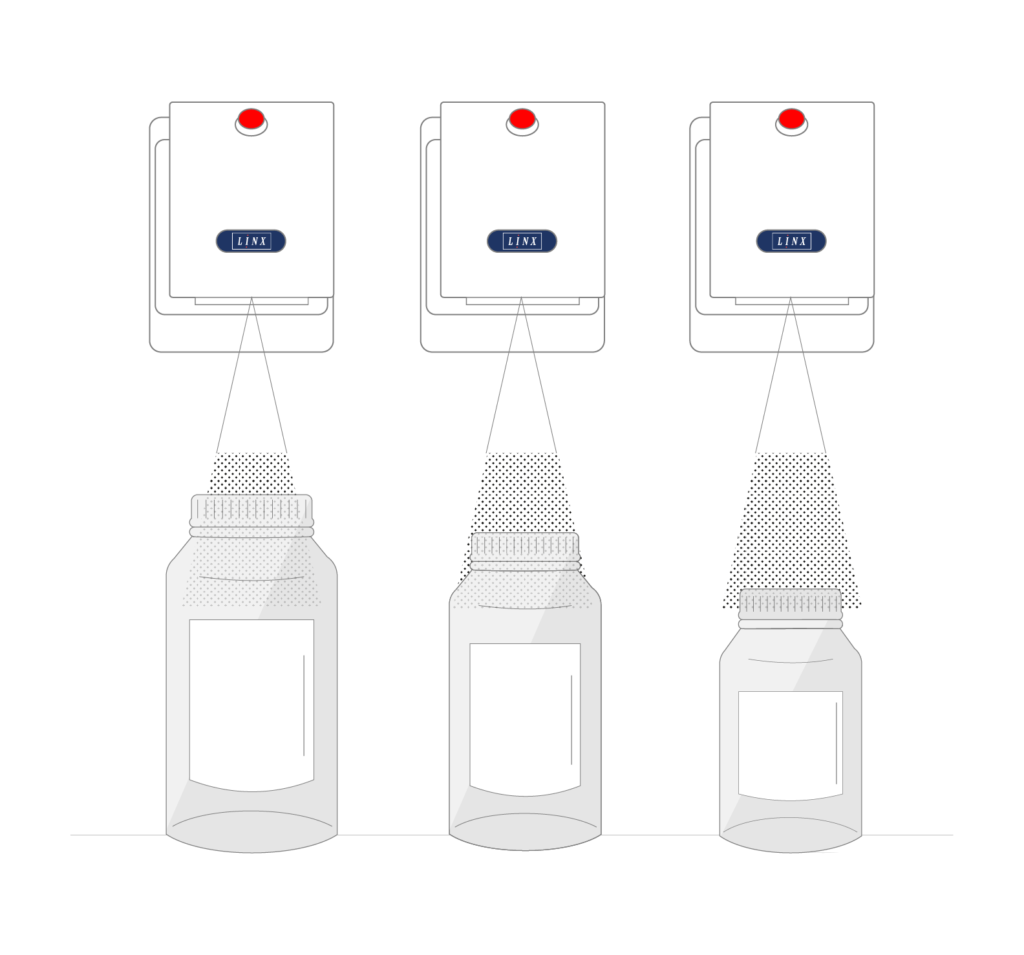
How long does a laser printer last, which materials can it mark, and what does it cost to run? There are several things to consider when choosing a laser for marking products and packaging.
Laser marking is an attractive solution for companies that want permanent product marking without ongoing consumption of ink and solvent. But not all lasers work the same way, and the right solution depends on the material, the production speed and the marking requirements.
At Multicheck, we work with Linx CO2, fibre and UV lasers and help companies choose the technology that best suits their production.
Here we go through the most important factors you should know before investing in an industrial laser printer.
1. Choose the right laser technology for the material
One of the most important aspects of laser marking is choosing a technology that suits the material to be marked.
A laser that works well on cardboard is not necessarily the best solution for metal, plastic or thin packaging film.
Linx offers three different laser technologies:
CO2 laser – for packaging and many organic materials
CO2 lasers are used for marking cardboard, paper, glass, PET and selected plastics, among other things. Linx offers the CSL10, CSL30 and CSL60 models with different power levels and options for marking on both standard and high-speed production lines.
Fibre laser – for metal and selected plastics
Fibre lasers are particularly well suited to permanent marking of metal, certain types of plastic and packaging film. The Linx FSL20 and FSL50 can, for example, be used for serial numbers, logos and detailed 2D codes on small marking areas.
UV laser – for sensitive materials
UV lasers have a lower thermal impact on the material than CO2 and fibre lasers. The Linx UVG5 is therefore particularly relevant for thin films, sensitive plastics and packaging where you want to reduce the risk of heat damage.
The most important thing is to test the marking on the actual product. The composition, colour, surface and thickness of the material all affect contrast, legibility and the marking result.
2. How long does a laser printer last?
One of the major advantages of industrial laser marking is the long service life and relatively low maintenance requirement.
However, the service life depends on the laser technology, the operating conditions and the specific application.
According to Linx, the stated service lives are:
| Linx laser technology | Stated service life |
|---|---|
| CSL10, CSL30 and CSL60 – CO2 | Up to 45,000 operating hours |
| FSL20 and FSL50 – fibre | Over 100,000 operating hours |
| UVG5 – UV | Depends on the application |
To put the figures into perspective, 45,000 hours corresponds to approximately 5.1 years of continuous operation, while 100,000 hours corresponds to approximately 11.4 years.
It is important to understand, however, that the figures describe the expected service life of the laser tube or laser source – not necessarily the total service life of the entire laser printer.
A laser also consists of electronics, optics, cooling and other components that may require maintenance or replacement.
The actual service life is affected by factors such as operating time, load, temperature, production environment and maintenance.
3. Does a laser printer require maintenance?
Although laser marking does not require ink or solvent, that does not mean the system is completely maintenance-free.
A laser printer may, for example, require inspection and maintenance of optics, cooling, extraction and safety components.
Dust and particles from the marking process in particular can affect operation. That is why it is important that the extraction system is correctly sized and maintained.
Linx fibre lasers, for example, are air-cooled, which means there is no need for a separate water cooling system.
A correctly installed and maintained laser can therefore be a reliable solution with limited need for ongoing intervention.
4. What does laser marking cost to run?
A laser printer typically has a higher purchase price than some ink-based marking systems, but can in return have lower running costs.
Since the laser does not use ink or solvent for marking, these consumable costs are eliminated.
When calculating the overall economics, however, you should also include:
- Purchase and installation
- Energy consumption
- Extraction and filters
- Service and maintenance
- Possible replacement of the laser source
- Costs of production stoppages
It is the overall Total Cost of Ownership (TCO) that determines whether laser marking is the most economical solution.
In production environments with many operating hours and high consumption of ink and solvent, laser marking can be particularly attractive.
At Multicheck, we help compare the running costs of laser marking with your existing marking solution.
5. Production speed and marking quality must go hand in hand
When choosing a laser, it is important to assess both the production speed and the amount of information to be marked.
A simple date code places different demands than a complex Data Matrix code containing a lot of information.
Linx offers, among others:
- CSL10 and CSL30: Up to 2,000 characters per second.
- CSL60: Up to 2,100 characters per second.
- UVG5: Up to 2,000 characters per second.
The speeds stated are maximum values under specific conditions and depend on the material, the code content, the marking area and the laser configuration.
A high maximum marking speed therefore does not automatically mean that all products can be marked at the same production speed.
It is important to test whether the laser can deliver the desired code quality at the actual line speed.
6. Remember safety, extraction and integration
An industrial laser must be installed with correct safety guarding and the necessary safety functions.
Linx’s industrial lasers include Class 4 laser systems, where direct or reflected laser radiation can be hazardous. The complete installation must therefore be risk-assessed and correctly guarded.
In addition, laser marking can generate smoke, fumes and particles depending on the material. The need for extraction and filtration must therefore be assessed as part of the installation.
The laser must also be able to integrate with the production line’s control system, product sensors and any systems for handling variable marking data.
Correct integration is essential to ensure that products are marked at the right time and with the right information.
Which laser printer should you choose?
The right laser is not necessarily the one with the highest power or longest stated service life.
The most important thing is that it suits the product, the production environment and the marking requirements.
At Multicheck, we help you find the right Linx laser for your production. We assess the material, the production speed, the marking requirements and the total running costs.
We also offer marking tests on your own products, so you can see the result and assess both contrast and legibility before you invest.
With our 24/7/365 service, we are also on hand with technical support, service and help to keep production running.
Are you considering switching to laser marking?
Related articles
Do you need help?
If you would like to hear more about our solutions, please fill out the form and we will contact you as soon as possible.
If you need urgent assistance, you can contact us 24/7/365 on +45 75 60 22 22.